Example - Ladder Diagram
DINT

The DINT instruction converts a REAL value, S, into a DWORD value and saves the conversion in an assigned signed DWORD data register, D.
Ladder Diagram Example

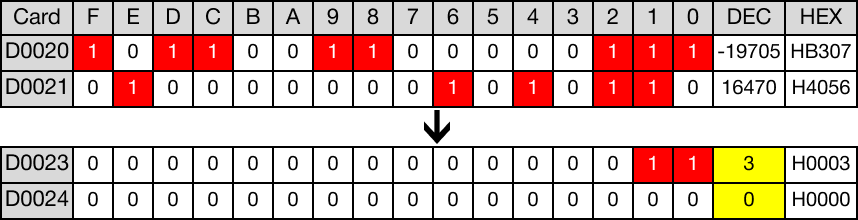
When the contact, M2.0, is powered ON (1), the value of the REAL data register, D20, 3.354677, is converted into signed binary notation.
The value of the conversion, 3, is saved in the DWORD data register, D23.

Memory Monitor
DINTP

The DINTP one-shot instruction converts a REAL value, S, into a DWORD value and saves the conversion in an assigned signed DWORD data register, D.
Every time this instruction executes, it energizes the output only once.
Ladder Diagram Example

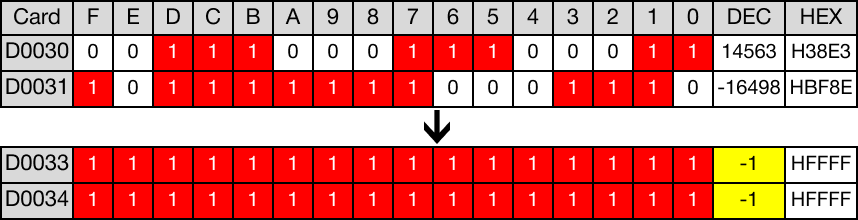
When the contact, M2.1, is powered ON (1), the value of the REAL data register, D30, -1.111111, is converted into signed binary notation.
The value of the conversion, -1, is saved in the DWORD data register, D33.

Memory Monitor