Example - Ladder Diagram
DSER

The DSER instruction searches for the DWORD value, S1, occurring in n number of DWORD data registers starting at S2. If S1 is found in the search, the data register location + 1 (offset) is saved into an assigned DWORD data register, D.
Ladder Diagram Example

The result of the search will be saved in the data register, D100.
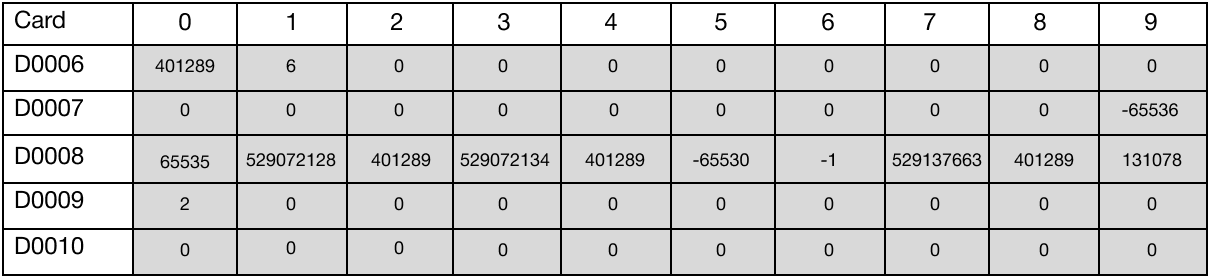

When the contact, M1.0, is powered ON (1), the instruction searches for the value 401,289 in 6 DWORD data registers starting at D60.
Memory Monitor
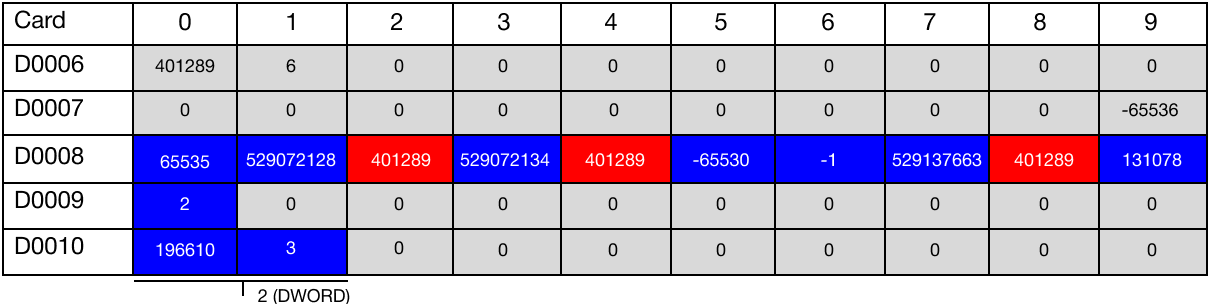
The value 401,289 was found at the data registers, D82, D84, and D88. This value is represented as 2, which is the first occurrence of the value. This value is saved in the data register, D100.
The value of D100 is 196,610 and the value of D101 is 3. Represented as a DWORD, the value is 2.
The value 401,289 was found three times. This value is represented as 3, which is saved in the data register, D101.
DSERP

The DSERP one-shot instruction searches for the DWORD value, S1, occurring in n number of DWORD data registers starting at S2. If S1 is found in the search, the data register location + 1 (offset) is saved into an assigned DWORD data register, D.
Every time this instruction executes, it energizes the output only once.
Ladder Diagram Example

The result of the search will be saved in the data register, D110.
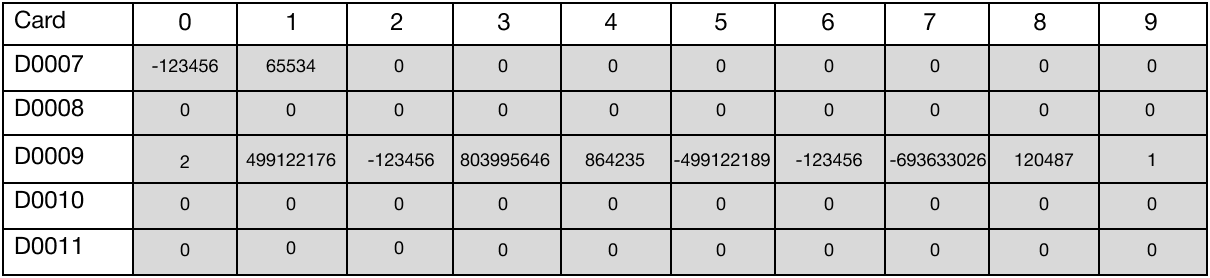

When the contact, M2.0, is powered ON (1), the instruction searches for the value -123,456 in 8 DWORD data registers starting at D90.
Memory Monitor
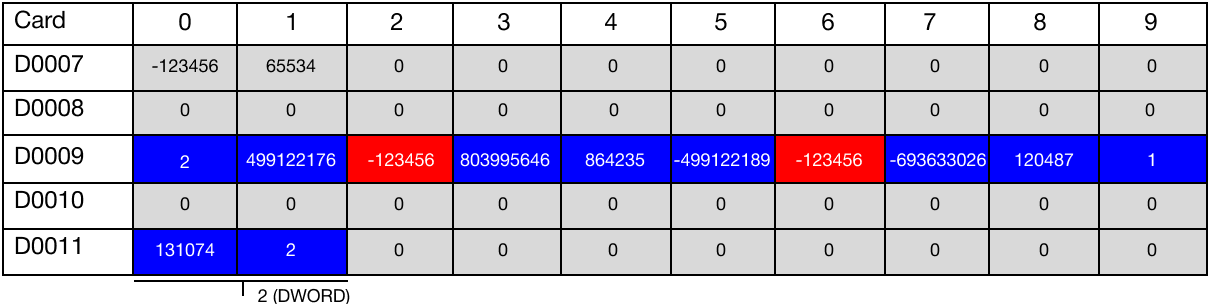
The value -123,456 was found at the data registers, D92, and D96. This value is represented as 2, which is the first occurrence of the value. This value is saved in the data register, D110.
The value of D110 is 131,074 and the value of D111 is 2. Represented as a DWORD, the value is 2.
The value 2 (DWORD) was found twice. This value is represented as 2, which is saved in the data register, D111.