Example - Ladder Diagram
LOG

The LOG instruction calculates the natural logarithm of the REAL value, S, and saves the result in an assigned REAL data register, D.
Ladder Diagram Example

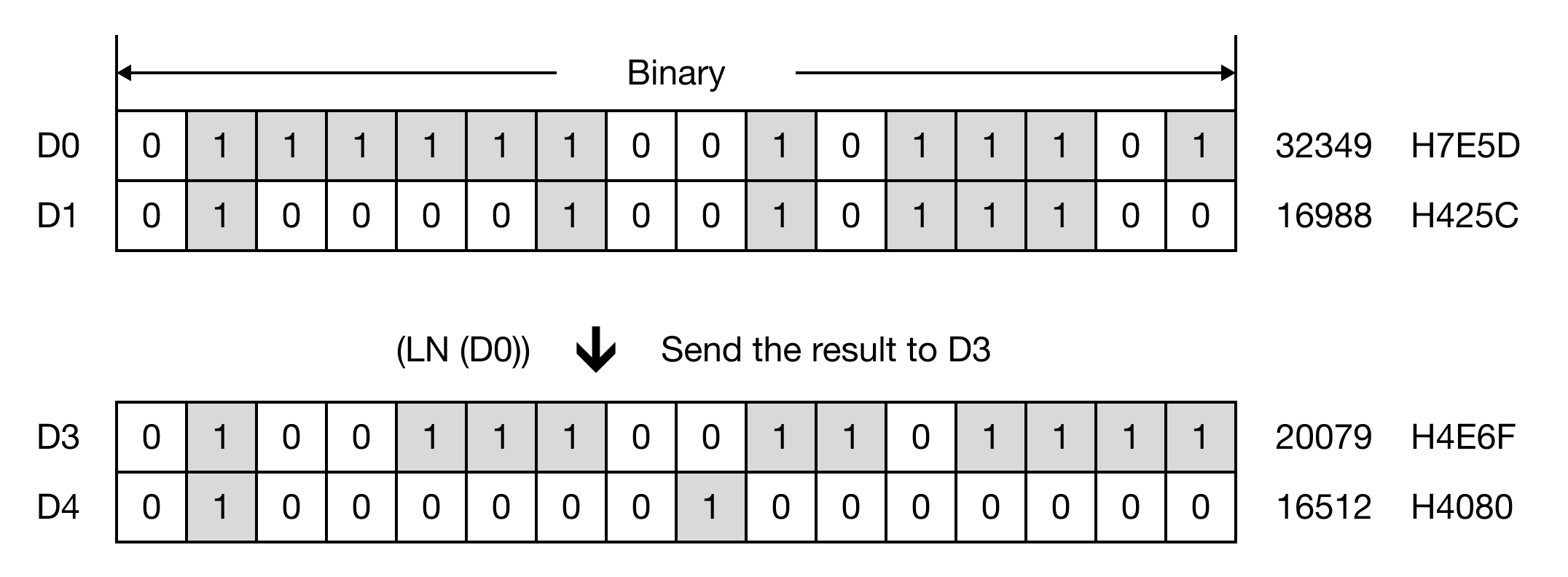
When the contact, M0.0, is ON (1), the instruction executes ln(55.123402) and saves the result, 4.009574.

Memory Monitor
LOGP

The LOGP one-shot instruction calculates the natural logarithm of the REAL value, S, and saves the result in an assigned REAL data register, D.
Every time this instruction executes, it energizes the output only once.
Ladder Diagram Example

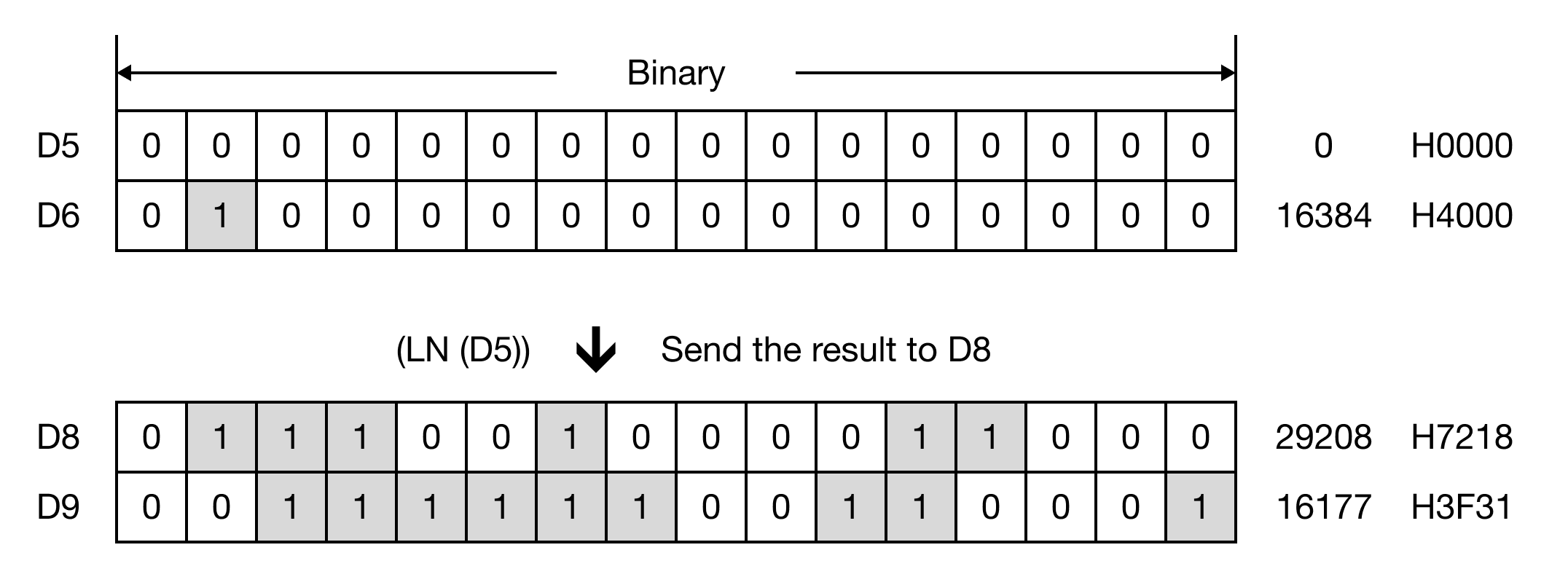
When the contact, M0.1, is ON (1), the instruction executes ln(2.000000) and saves the result, 0.693147.

Memory Monitor
Normal Logarithm Example
The LOG and LOGP instructions calculate the natural logarithm of S.
To calculate a normal logarithm with a base, use two LOG or LOGP instructions:
- Use the LOG or LOGP instruction where S equals the base of the logarithm. This value will be S2.
- Use the LOG or LOGP instruction where S equals the argument or antilogarithm. This value will be S1.
- Use the EDIV or EDIVP instruction to divide S2 by S1. This will give you the logarithm of the value used in Step 2.