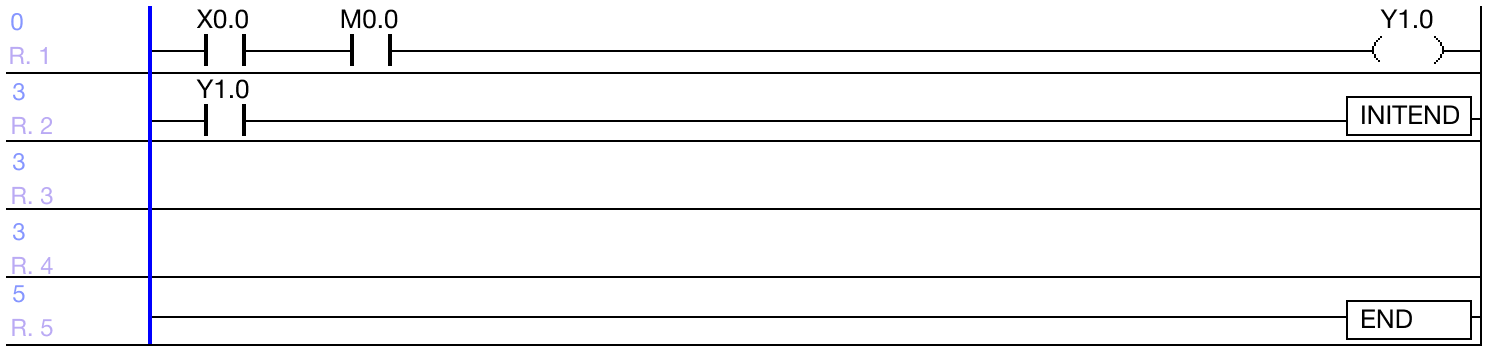
Hot Start Initialization Program
Hot Start Initialization Program
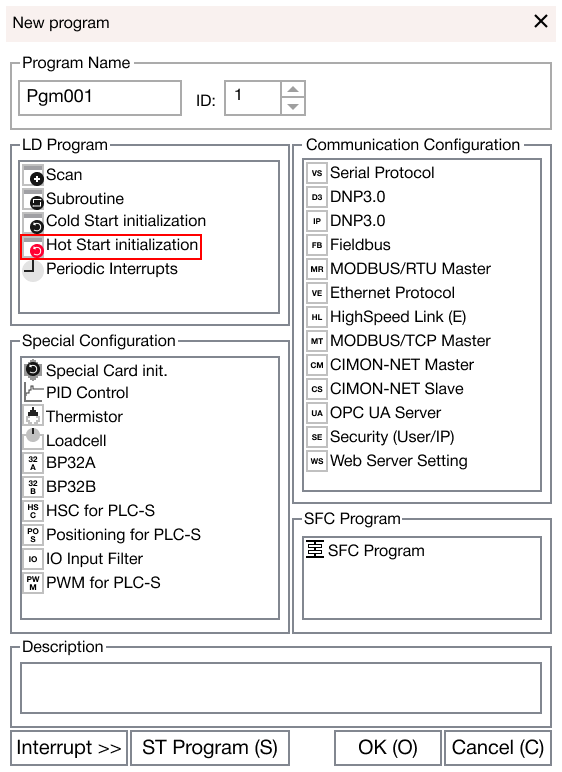
To use the hot start initialization program, enable it in the PLC Parameter window.
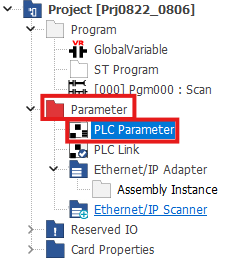
- Left-click Parameter and left-click PLC Parameter.
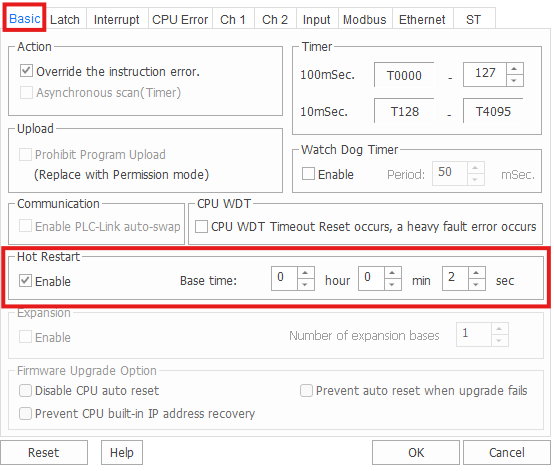
- In the Basic section, enable Hot Restart.
If the power temporarily fails within the setting time and the hot restart option is enabled, the hot start initialization program is executed. This helps keep previous values before the power fails. It also helps to successfully execute the scan program.
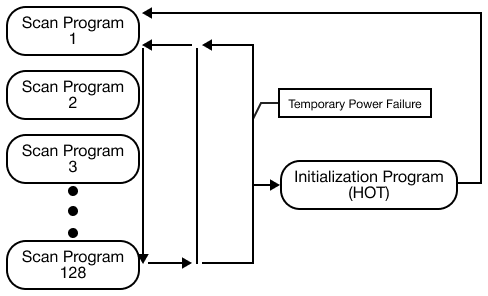
The hot start initialization program must end with INITEND instruction.