Example - Ladder Diagram
BKCMP>

The BKCMP> instruction compares n number of WORD data registers starting at S1 to n number of WORD data registers starting at S2.
For each data register in the range S1 ~ Sn that is greater than each data register in the range S2 ~ Sn, each data register in the range D ~ Dn will turn bit 0 to ON (1).
Ladder Diagram Example

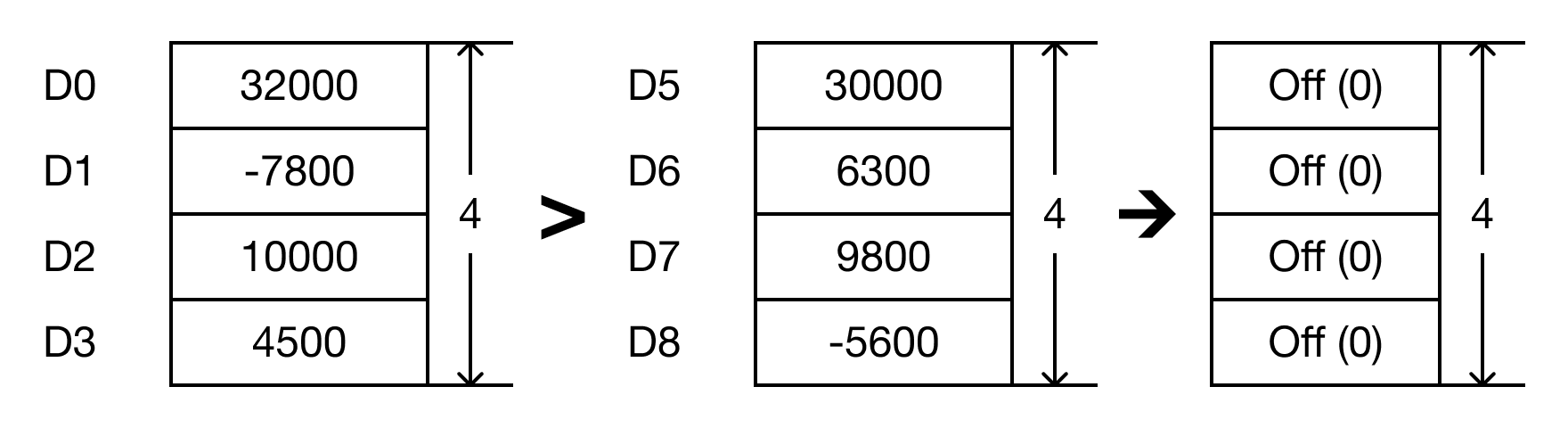
- The BKCMP> instruction will compare the following expressions for a true or false value:
- D0 > D5 → 32,000 > 30,000
- D1 > D6 → -7,800 > 6,300
- D2 > D7 → 10,000 > 9,800
- D3 > D8 → 4,500 > -5,600

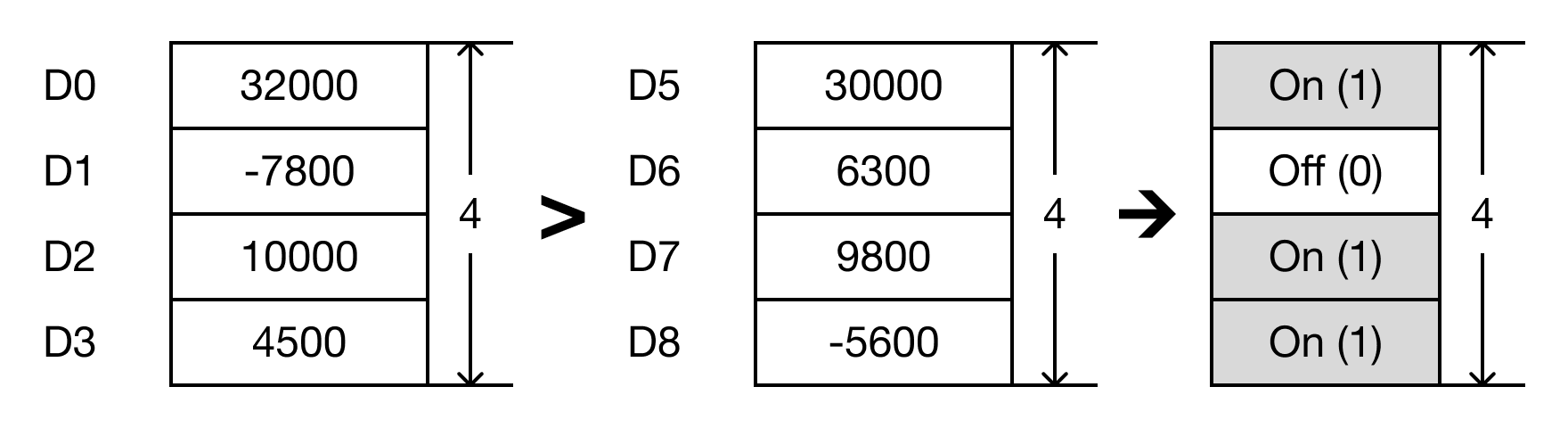
- When the open contact, M0.2, is powered ON (1), the values of the data registers are compared.
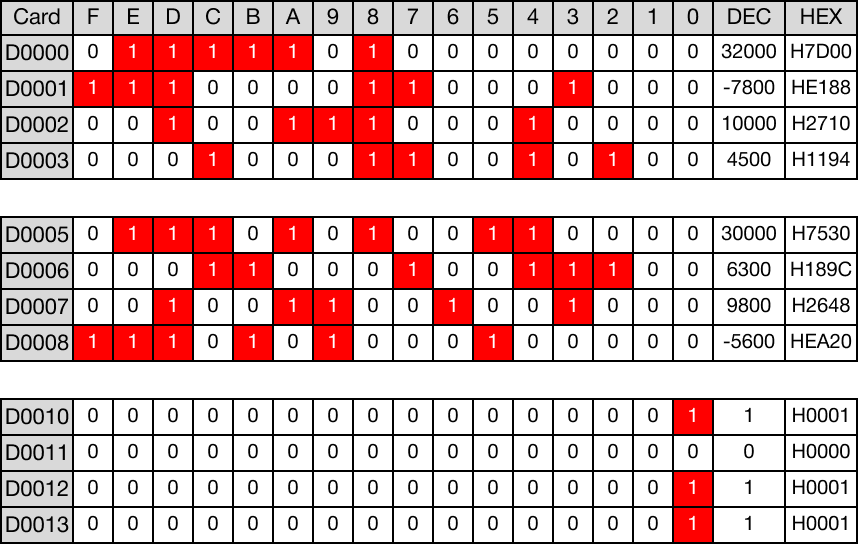
- D0 > D5 → 32,000 > 30,000 (TRUE → D10 = 1)
- D1 > D6 → -7,800 > 6,300 (FALSE → D11 = 0)
- D2 > D7 → 10,000 > 9,800 (TRUE → D12 = 1)
- D3 > D8 → 4,500 > -5,600 (TRUE → D13 = 1)
Memory Monitor
BKCMP>P

The BKCMP>P one-shot instruction compares n number of WORD data registers starting at S1 to n number of WORD data registers starting at S2.
For each data register in the range S1 ~ Sn that is greater than each data register in the range S2 ~ Sn, each data register in the range D ~ Dn will turn bit 0 to ON (1).
Every time this instruction executes, it energizes the output only once.
Ladder Diagram Example

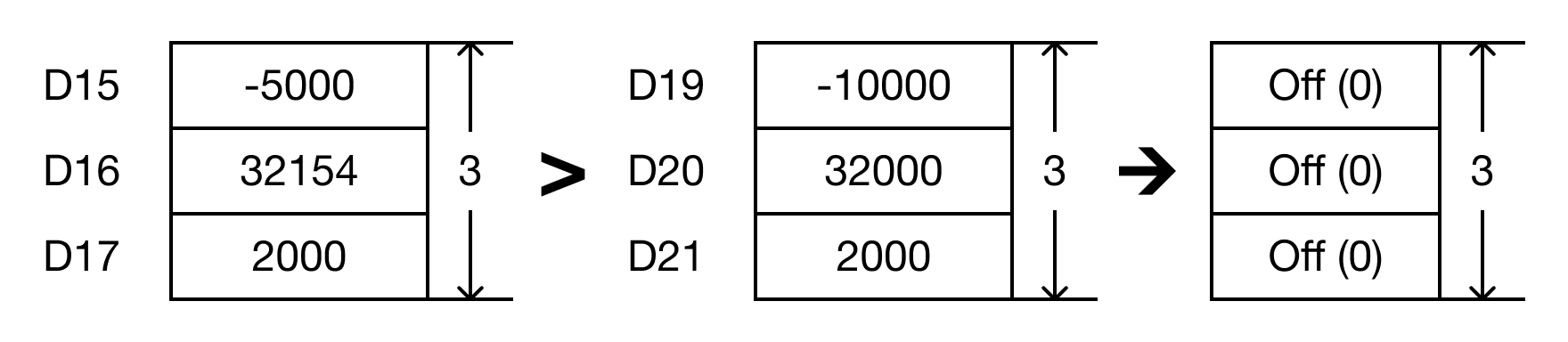
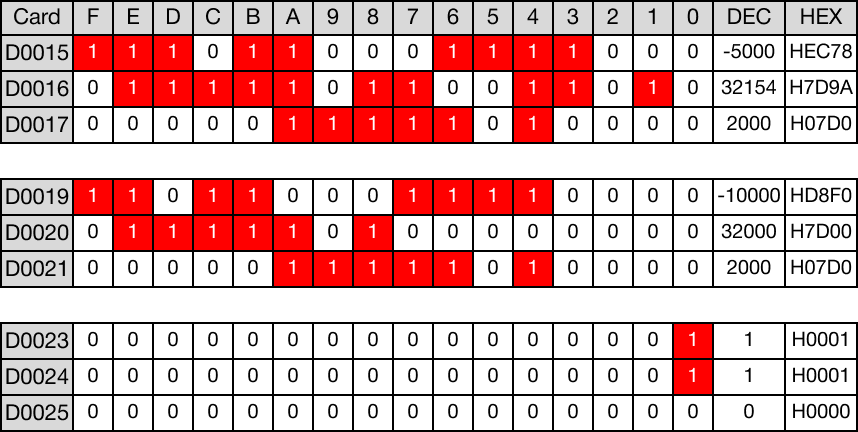
- The BKCMP>P instruction will compare the following expressions for a true or false value:
- D15 > D19 → -5,000 > -10,000
- D16 > D20 → 32,154 > 32,000
- D17 > D21 → 2,000 > 2,000

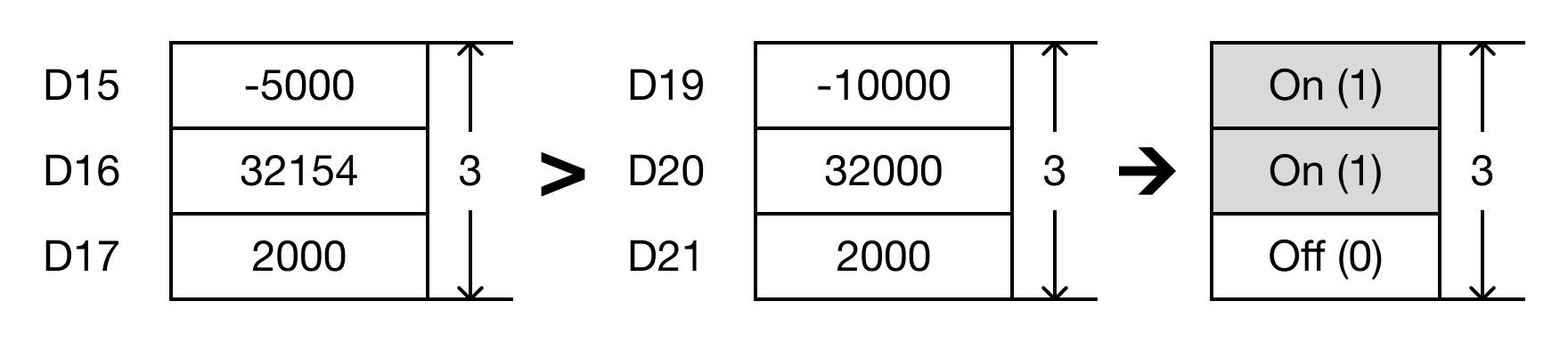
- When the open contact, M0.3, is powered ON (1), the values of the data registers are compared.
- D15 > D19 → -5,000 > -10,000 (TRUE → D23 = 1)
- D16 > D20 → 32,154 > 32,000 (TRUE → D24 = 1)
- D17 > D21 → 2,000 > 2,000 (FALSE → D25 = 0)
Memory Monitor