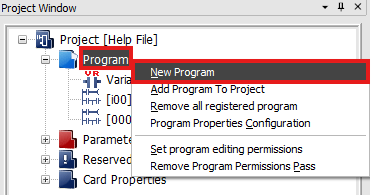
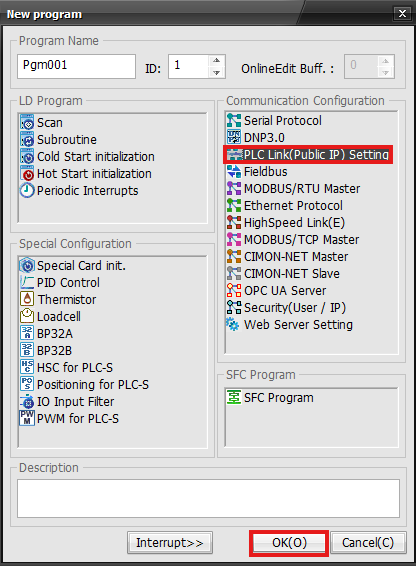
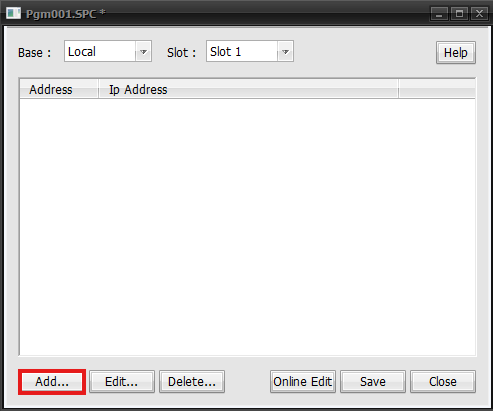
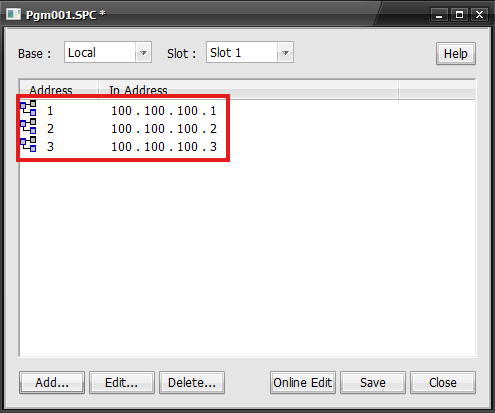
Communication ConfigurationPLC Link (Public IP)On this pagePLC Link Communication ProgramPLC Link (Public IP) Setting When some PLC links use public networks, users can register IP and station numbers in the PLC Link (Public IP) Setting program in order to differentiate the IPs on the network using the station number. Register PLC Link (Public IP) Setting To create a new PLC Link (Public IP) Setting, in the Project Window, right-click Program and left-click New Program. Left-click PLC Link (Public IP) Setting and left-click OK. Configure PLC Link (Public IP) Setting Left-click Add to add a new station number. Select the Address number, define the IP, and left-click OK. Registered IP addresses will appear in the program window.