High-Speed Counter for PLC-S Special Program Configuration
Configuring the High-Speed Counter Program
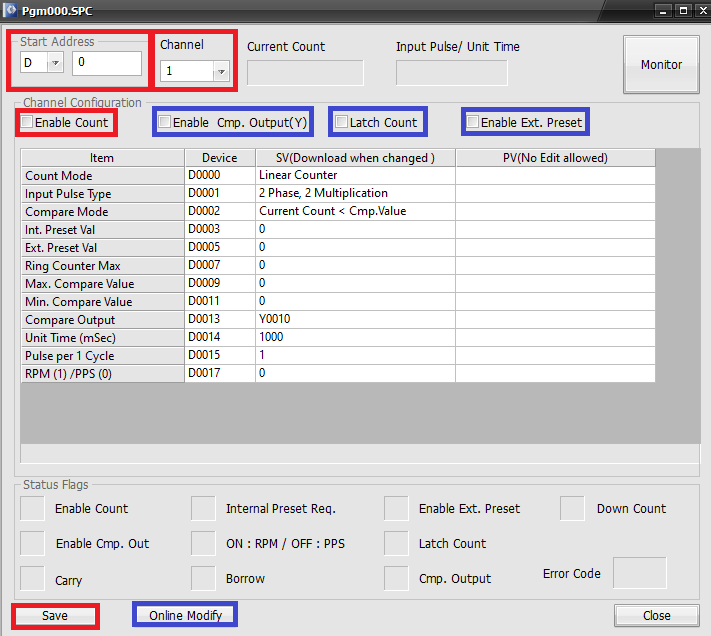
- Under Start Address, select the data register section to use.
- IMPORTANT: The high-speed counter program can reserve 52 WORDs, 26 for channel 1, 26 for channel 2, starting at the base data register.
- In this example, D0 ~ D51 are reserved.
- Under channel, select channel 1 or channel 2.
- For the high-speed counter to actively count, check Enable Count.
- If this is unchecked, the high-speed counter won't count up or down.
- Optionally, checking:
- Enable Cmp. Output(Y) enables comparison output.
- Latch Count enables non-volatile memory counting.
- The current value enables be retained if the device is powered off.
- Enable Ext. Preset enables an external preset value.
- Left-click Save to save the changes made to the high-speed counter program.
- Optionally, if the PLC-S is currently in RUN mode, left-click Online Modify.