Hallim Loader Introduction
이 콘텐츠는 아직 번역되지 않았습니다.
Hallim Loader
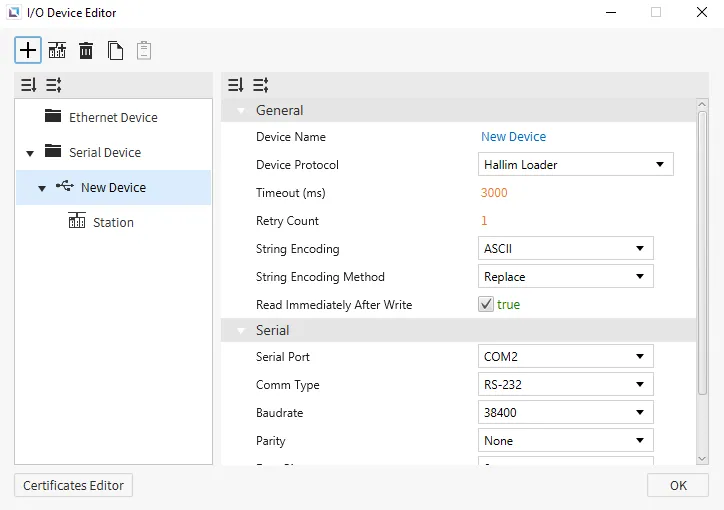
Section titled “Hallim Loader”Canvas supports Hallim Loader as a way to connect to devices that support this protocol. No additional settings will appear on the selection of this protocol.
Format
Section titled “Format”- Generic Format: {Device Name}{Address Number}
Device Name: symbol for the memory area being used.Address Number: index of the memory address being requested, represented in decimal notation.
- X, Y, M, L, K, or F Area Format: {Device Name}{Address Number}{Bit Number}
- Some memory areas can be accessed as either an analog or digital tag.
Device Name: symbol for the memory area being used.Address Number: index of the memory address being requested, represented in decimal notation.Bit Number: bit which is being requested, represented in Hexadecimal notation.- For analog tags, the
Bit Numbershould always be 0.
- For analog tags, the
Memory Area and Ranges
Section titled “Memory Area and Ranges”| Memory Area | Symbol | Digital | Analog | Access |
|---|---|---|---|---|
| External Input | X | X000.0 - X511.F | X0000 - X5110 | R |
| External Output | Y | Y000.0 - Y511.F | Y0000 - Y5110 | R/W |
| Internal Relay | M | M000.0 - M999.F | M0000 - M9990 | R/W |
| Internal Relay | L | L000.0 - L999.F | L0000 - L9990 | R/W |
| Latch (Non-Volatile) Relay | K | K000.0 - K999.F | K0000 - K9990 | R/W |
| Flags | F | F000.0 - F127.F | F0000 - F1270 | R |
| Timer - Output | T | T0000 - T4095 | - | R/W |
| Timer - Current Value | TC | - | TC0000 - TC4095 | R/W |
| Timer - Set Value | TS | - | TS0000 - TS4095 | R/W |
| Counter - Output | C | C0000 - C4095 | - | R/W |
| Counter - Current Value | CC | - | CC0000 - CC4095 | R/W |
| Counter - Set Value | CS | - | CS0000 - CS4095 | R/W |
| Step Controller | S | - | S00 - S99 | R/W |
| Data Memory | D | D00000.0 - D31999.F | D00000 - D31999 | R/W |