Serial Devices
이 콘텐츠는 아직 번역되지 않았습니다.
Communication Cable Wiring
Section titled “Communication Cable Wiring”Please refer to the below tables for the Xpanel serial port wiring:
For the RS-232C ports, Xpanel provides the standard DB9 RS-232C pin assignment.
eXT04+ & nXT07
Section titled “eXT04+ & nXT07”- The below serial port is applicable to the following Xpanel models:
- eXT04
- eXT07
- nXT07
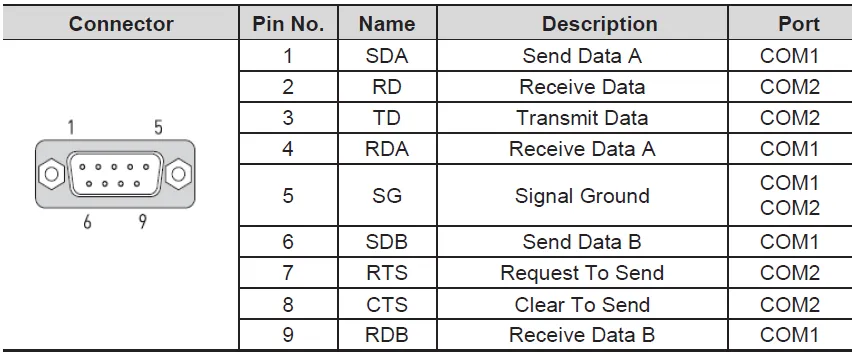
- Use COM1 for RS-422/485
- Use COM2 for RS-232C
eXT10+ and eXT2
Section titled “eXT10+ and eXT2”- The below serial ports are applicable to the following Xpanel models:
- eXT10
- eXT12
- eXT15
- eXT2-07
- eXT2-10
- eXT2-12
- eXT2-15
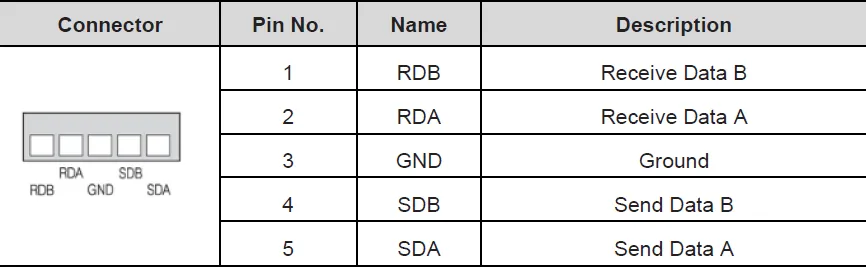
- Use COM1 for RS-422/485
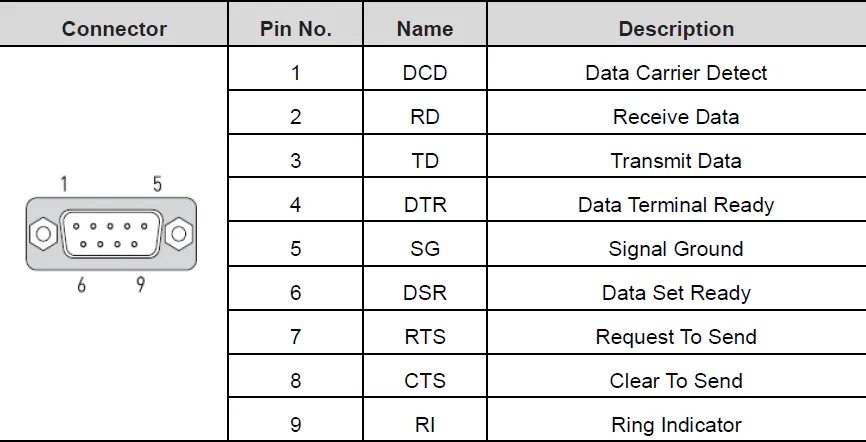
- Use COM2 for RS-232C
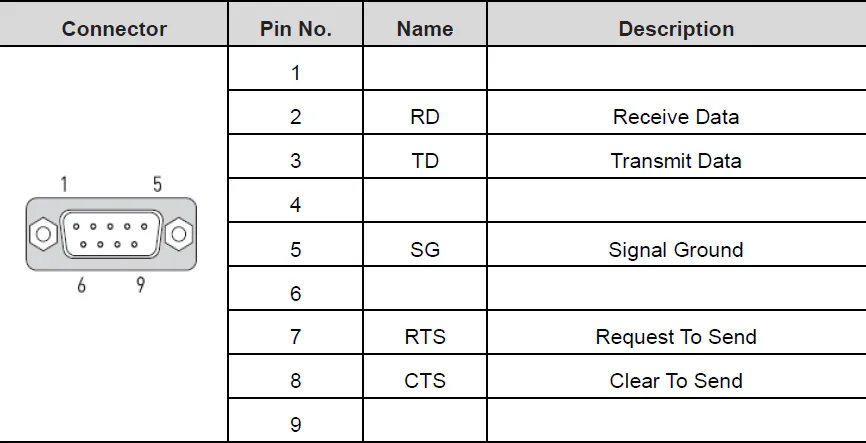
- Use COM3 for RS-232C
Supported Drivers
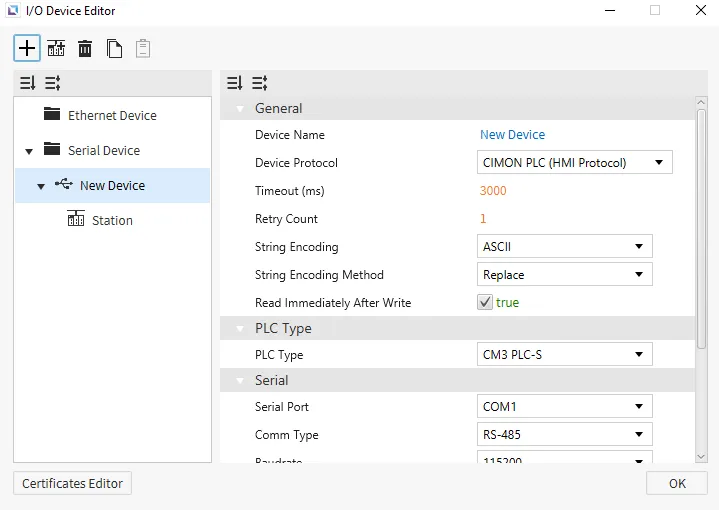
Section titled “Supported Drivers”Serial Devices are used when a connection to another device is made via a serial cable. Users will need to input the Serial Port of the device they are connecting to, the Comm Type, and the Baudrate. Users can also select the String Encoding and the String Encoding Method. Users can also change settings such as the Timeout time, Retry Count, and Transmission Delay. Users will also be able to change the name of the Device and the Protocol of the device as well.