Monitor Settings
Monitor Data Register Types
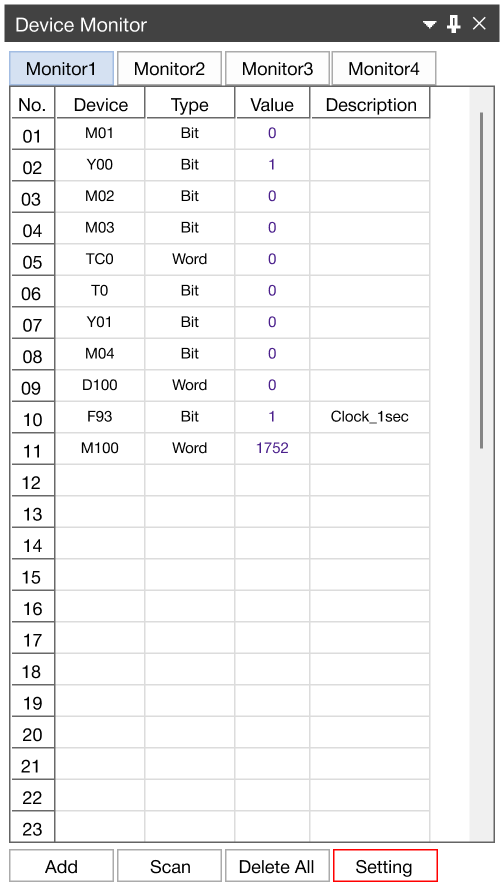
- To change the monitor value range to signed, unsigned, hexadecimal, float, or ASCII characters, left-click Setting.
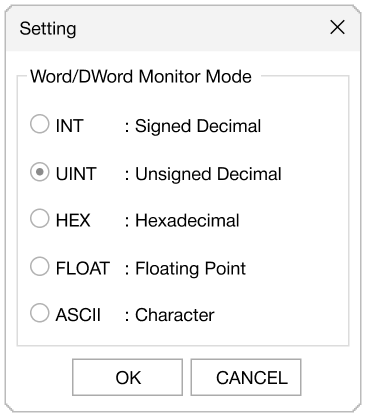
-
Select the display type under the Word/Dword Monitor Mode tab.
-
Left-click OK.
Select the display type under the Word/Dword Monitor Mode tab.
Left-click OK.