Export Function Blocks
Export
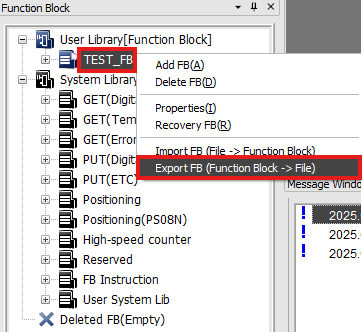
- To export a user-created Function Block, right-click on the user-created Function Block and left-click Export FB (Function Block -> File).
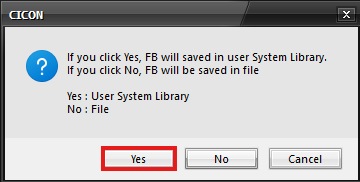
- Yes: Saves the Function Block to the User System Library.
- No: Saves the Function Block to a folder on the PC.
Yes
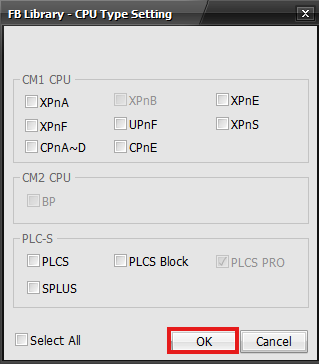
- If Yes was selected, specify the CPU type and left-click OK.

After the Function Block is exported, the message will pop up displaying the export status.
The Function Block file is saved in C:\CIMON\CICON_ENG\SYSTEM_LIBRARY\FBLIB\<FB_name>.FBL