Add Function Block to Ladder
Enter Function Block in Ladder Diagram
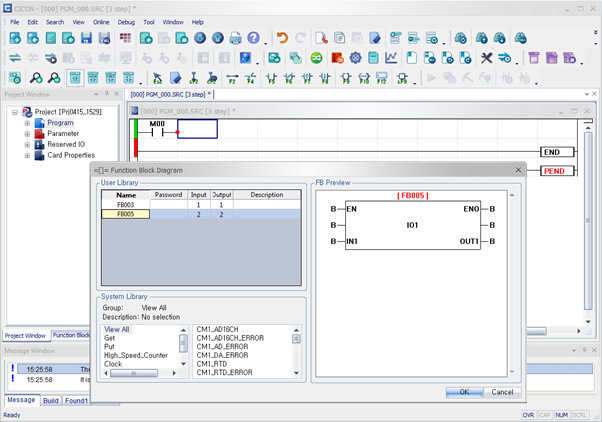
- To add a Function Block to the ladder diagram, left-click the second column in the rung, and type Shift + F9.

- Optionally, on the toolbar, left-click the Add Function Block icon.
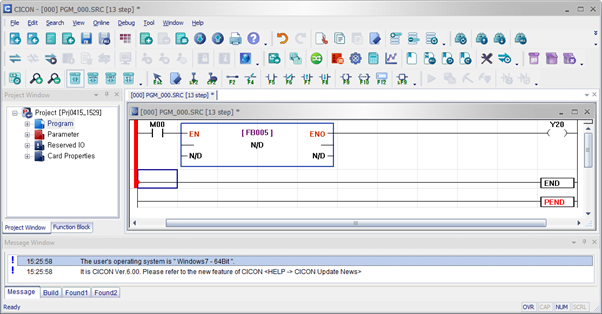
- Select the Function Block to add and left-click OK.
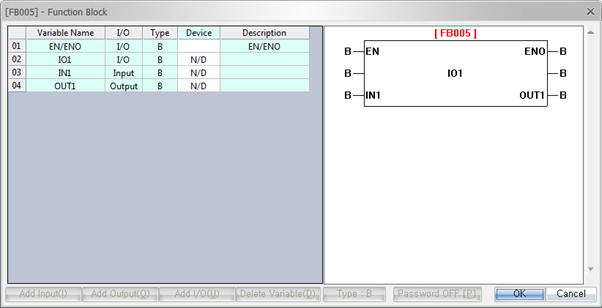
- To add the data register address, double left-click the Function Block. Set the data register address under Device.