CPU Error PLC Parameters
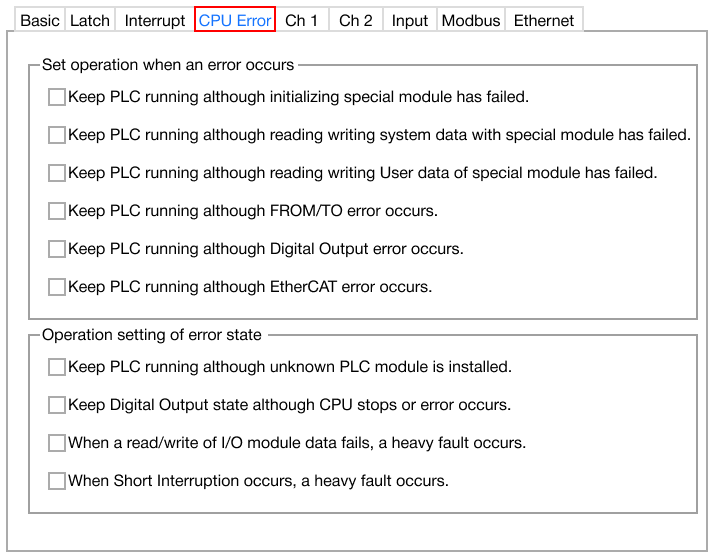
CPU Error
-
The CPU Error parameters are actions to take when an error occurs.
-
The following are supported on CM1 and CM3 CPUs:
- Keep PLC running although FROM/TO error occurs:
- Keep PLC running although unknown PLC module is installed:
- If checked, the PLC will continue running if an unknown expansion module is installed on the PLC chassis.
-
The following are supported on CM1 CPUs only:
- Keep PLC running although initializing special module has failed:
- If checked, the PLC will continue running even if an expansion module failed to initialize.
- Keep PLC running although reading writing system data with special module has failed:
- If checked, the PLC will continue running even if an expansion module failed to read or write system data.
- Keep PLC running although reading writing User data of special module has failed:
- If checked, the PLC will continue running even if an expansion module failed to read or write user data.
- Keep PLC running although Digital Output error occurs:
- If checked, the PLC will continue running even if a digital output error occurs.
- Keep PLC running although EtherCAT error occurs:
- If checked, the PLC will continue running even if an EtherCAT error occurs.
- Keep Digital Output state although CPU stops or errors occur:
- If checked, the digital output state will be retained if the PLC stops running or an error occurs.
- When a read/write of I/O module data fails, a heavy fault occurs:
- If checked, a heavy fault will occur if reading or writing data to or from an I/O expansion module fails.
- When Short Interruption occurs, a heavy fault occurs:
- If checked, a heavy fault will occur if a short interruption occurs.
- Keep PLC running although initializing special module has failed: