Create Program
CICON Program Creation
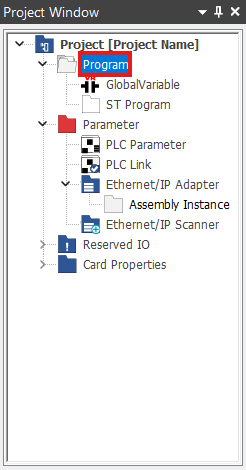
- In the Project Window, right-click Program.
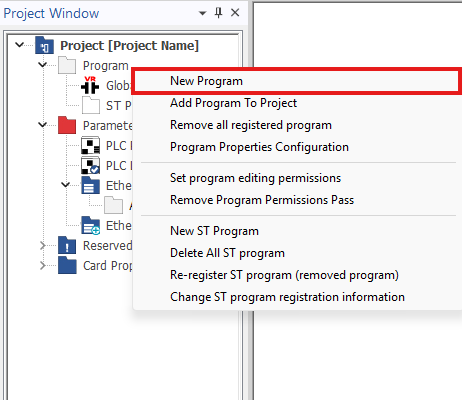
- Left-click New Program.

- Optionally, on the toolbar under the Home tab, left-click the New Program icon.
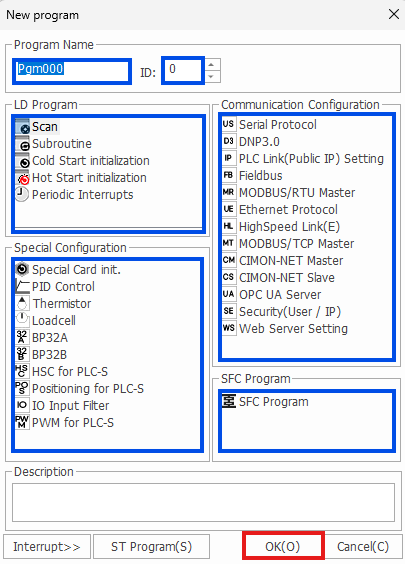
- Specify the name and ID of the program if necessary. Left-click to select the program type, and left-click OK.
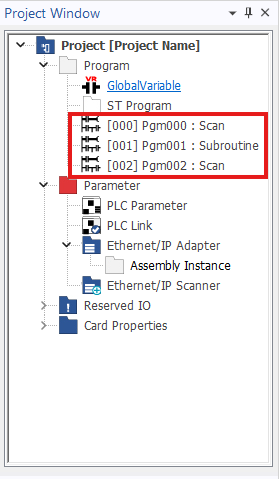
- To open the individual program, left-click on the program in the Project Window.

- To navigate between programs, left-click on the program in the Program Window.