Download Project to PLC

- To download a project to the PLC, left-click Home and left-click Config.
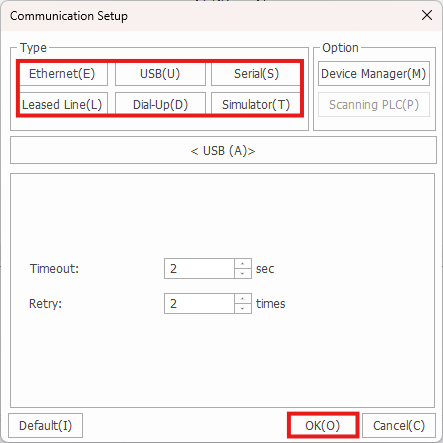
- Left-click the connection method and left-click OK.

- Left-click Download + to download and monitor the project on the PLC.

- Change the CPU mode to Remote STOP by left-clicking Yes.
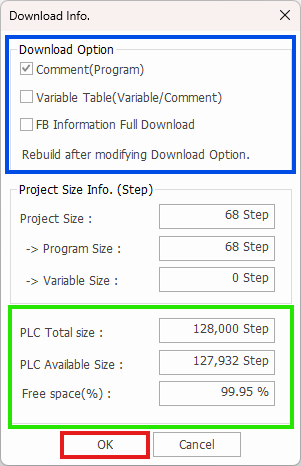
- The PLC memory type is calculated in Steps. Downloading program comments, variables, and function blocks contribute to the overall step size.
- Select which of the following should be downloaded to the PLC.
- The total project step size and available CPU step space is shown at the bottom.
- Left-click OK to continue.

- Left-click Yes to switch the CPU mode back to Remote RUN.

- The following watermark indicates the project is downloaded, and the PLC is being monitored.