Create Project
CICON Project Creation

- In the menubar, left-click Home and left-click New Project.

- Optionally, in the menubar, left-click File.
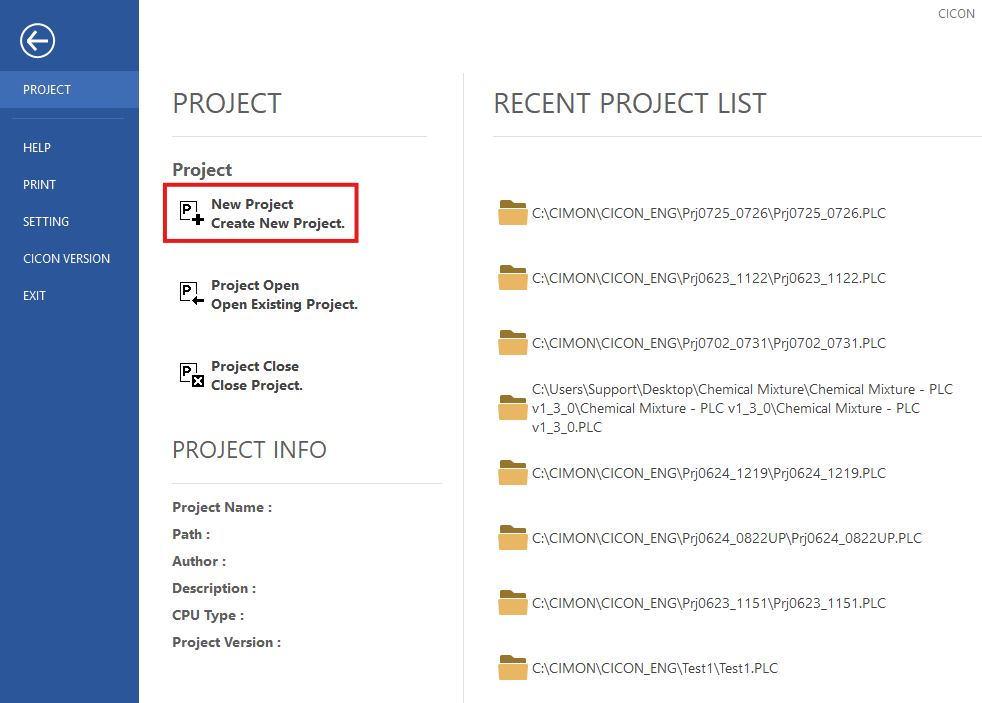
- Left-click New Project.
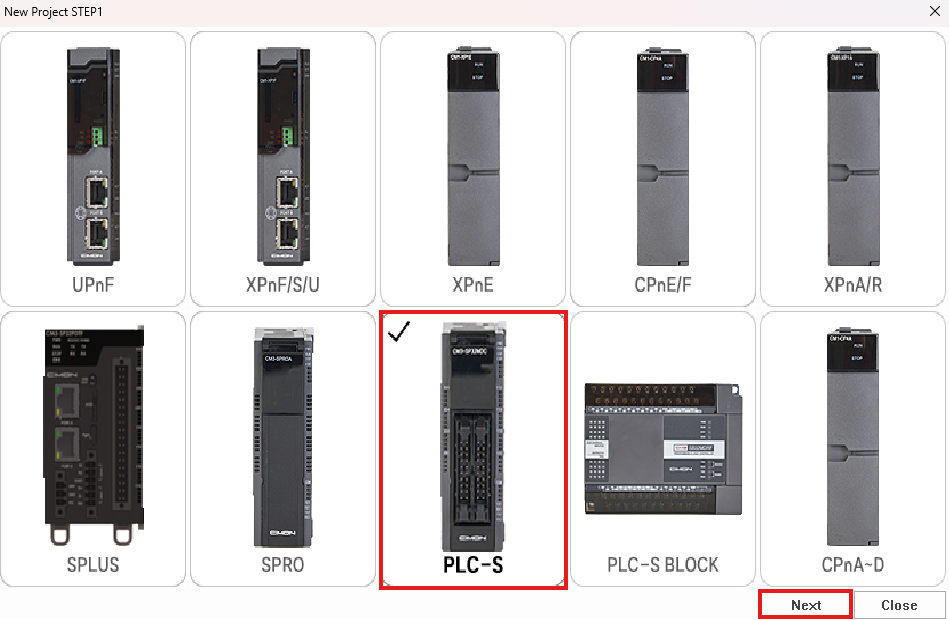
- Left-click the PLC series and left-click Next.
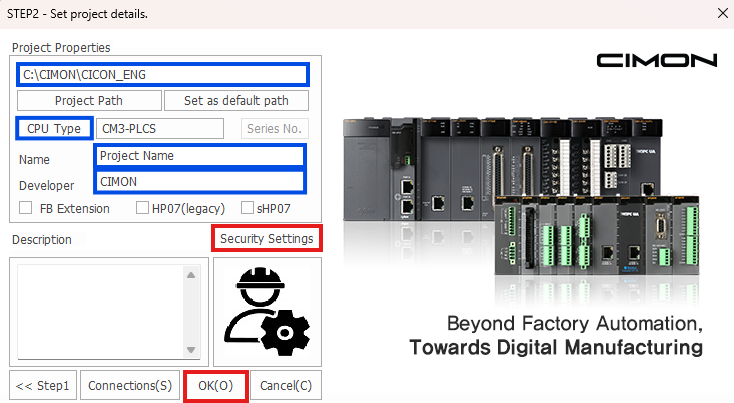
- Specify the file path, CPU type, project name, and developer if necessary. To set a project password, if necessary, left-click Security Settings. When finished, left-click OK.
- IMPORTANT: CIMON is not responsible for passwords that are lost. CIMON is unable to access password-protected projects.
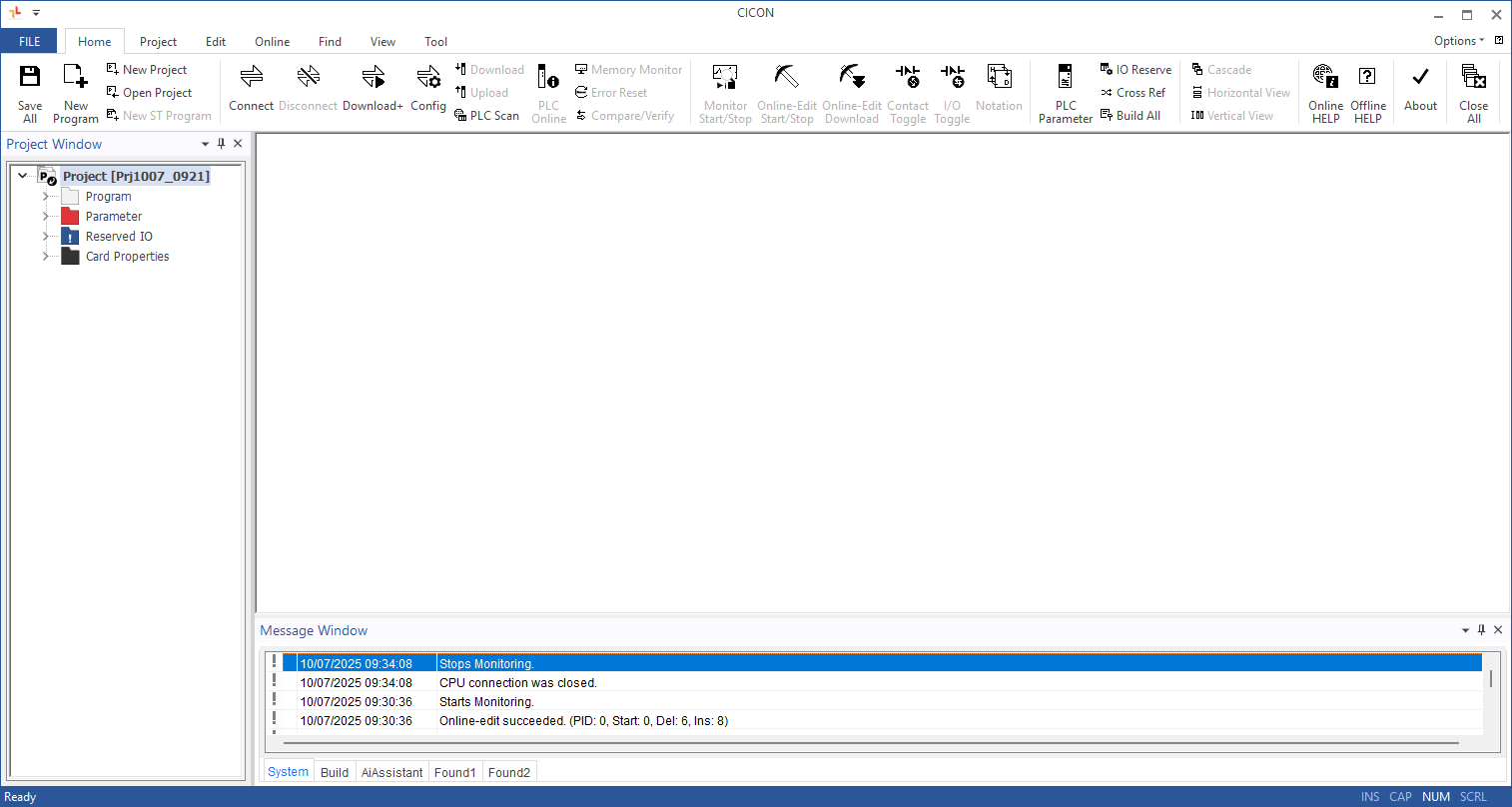
- The name of the project will appear in the Project Window.
Refer to the CICON Components: Screen Configuration section for more information about the CICON user interface.