Program Password
Program Password
A password can be set on individual PLC programs.
Set Program Password

- To set a password for the project, left-click Project and left-click Prj Properties.
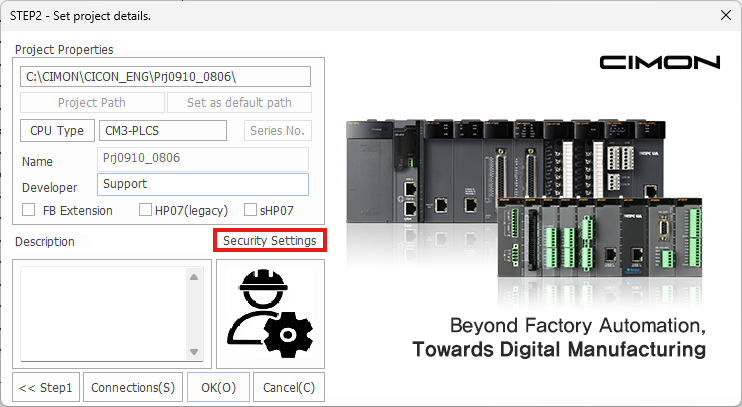
- Left-click Security Settings.
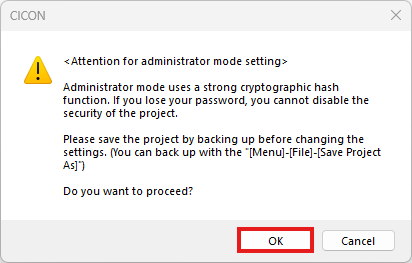
- Acknowledge the warning message. Left-click OK when finished.
Backup Project
Create a backup of the project (if it previously exists) before continuing. If the password is lost, the project cannot be recovered.

- Input the same password into the New and Confirm fields. Then, left-click Password Mode.

- To change to permission mode, left-click Yes.

- When finished, left-click OK.
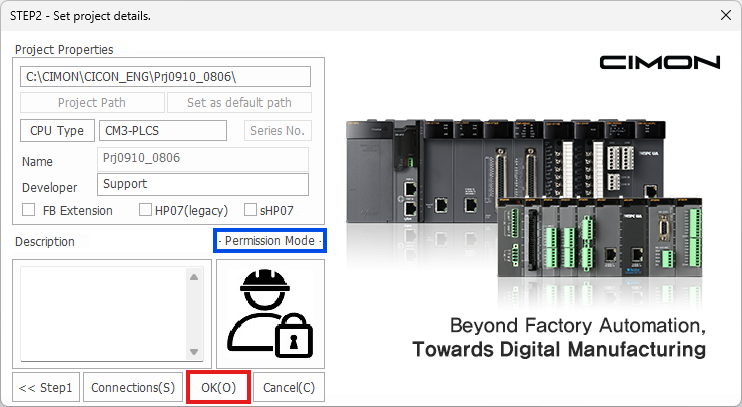
- Left-click OK.
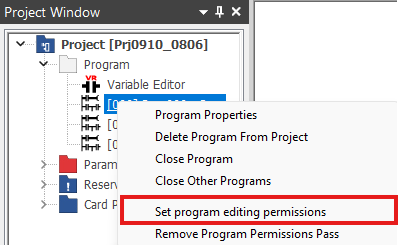
- Right-click on a program and left-click Set program editing permissions.

- Optionally, left-click Project and left-click Set Program Permit.

- Enter the password and left-click OK.
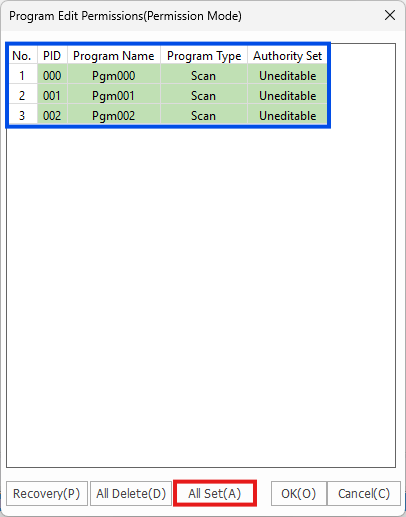
- Left-click All Set to change the Authority Set to Uneditable.
- Optionally, double click the individual program to change its authority.
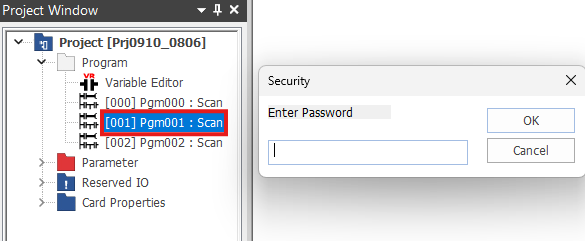
- When a program has the Uneditable authority, it requires a password to open.
Note
When enabling Permission Mode, the protected programs cannot be opened by uploading the project from the PLC.