DA Modules
Digital-to-Analog (DA)
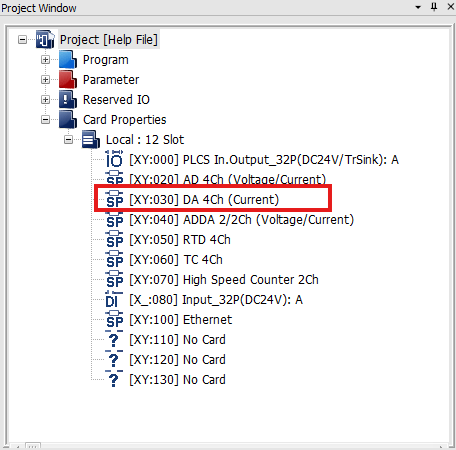
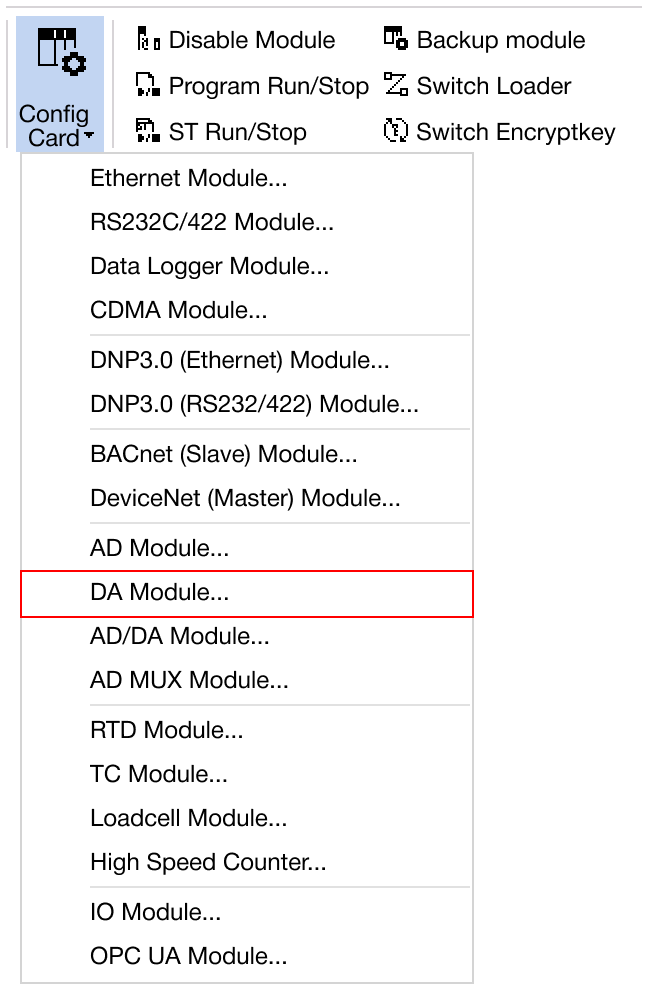
Navigate to Online → Special Module Setup → DA Module or click on the DA module within the Card Properties.
Applied Modules
- CM1-DA04V
- CM1-DA04VA
- CM1-DA08V
- CM1-DA08VA
- CM1-DA04I
- CM1-DA08I
- CM3-SP04EOAI
- CM3-SP04EOAV
CM1 DA Module
-
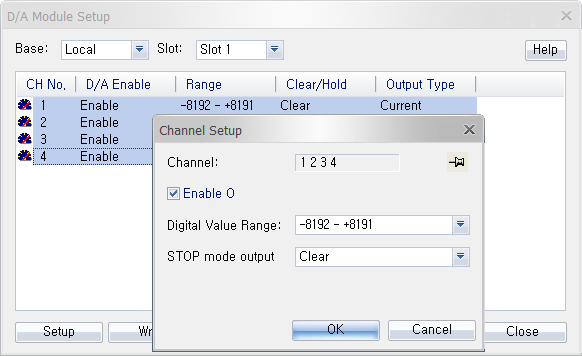
Hold CTRL to configure all channels at once.
-
Click Setup to enable/disable the module, or configure the digital value range or STOP mode output.
- Digital Value Range:
- -192 ~ 16,191
- -8,192 ~ 8,191
- STOP Mode Output:
- Clear: If the CPU mode is set to STOP, the last value will be output.
- Hold: If the CPU mode is set to STOP, 0 will be output.
-
Once the settings are configured, click OK to confirm and apply the changes.
-
To save the configured parameters to the PLC, click Write.
-
Click Read to check the parameters.
-
For real-time monitoring and module diagnostics, click Status. This displays the current value, minimum and maximum values, firmware version of the module, and any error codes.
CM3 DA Module
-
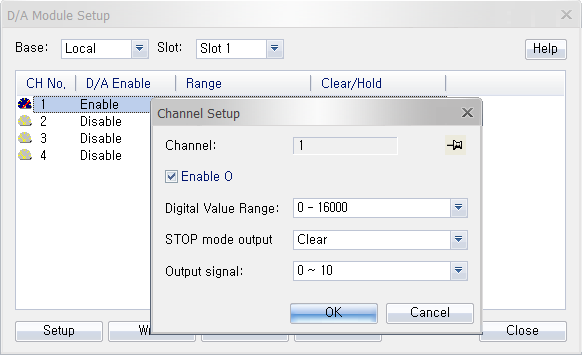
Hold CTRL to configure all channels at once.
-
Click Setup to enable/disable the module, or configure the digital value range, STOP mode output, or output signal.
- Digital Value Range:
- 0 ~ 16,000
- -8,000 ~ 8,000
- 0 ~ 10,000 (percentage)
- STOP Mode Output:
- Clear: If the CPU mode is set to STOP, the last value will be output.
- Hold: If the CPU mode is set to STOP, 0 will be output.
- Output Signal:
- 0 ~ 10
- -10 ~ 10 (CM3-SP04EOAV only)
-
Once the settings are configured, click OK to confirm and apply the changes.
-
To save the configured parameters to the PLC, click Write.
-
Click Read to check the parameters.
-
For real-time monitoring and module diagnostics, click Status. This displays the current value, minimum and maximum values, firmware version of the module, and any error codes.