Special Module - Data Logger
Data Logger
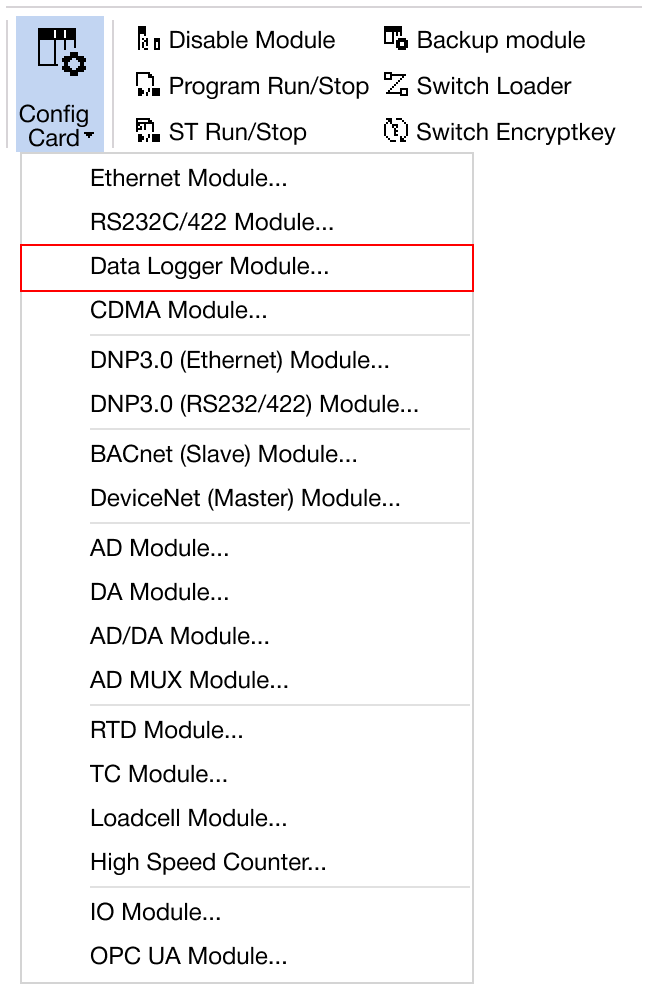
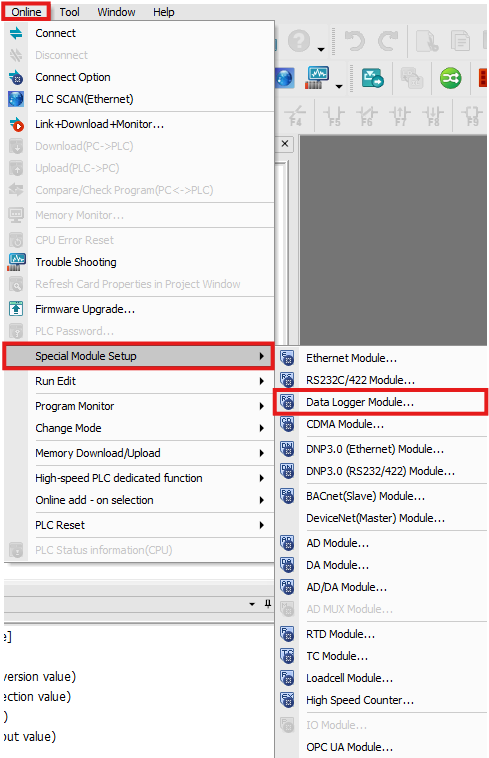
Navigate to Online → Special Module Setup → Data Logger Module or click on the Data Logger module within the Card Properties.
Applied Modules
- CM1-LG02G
Data Logger Module
-
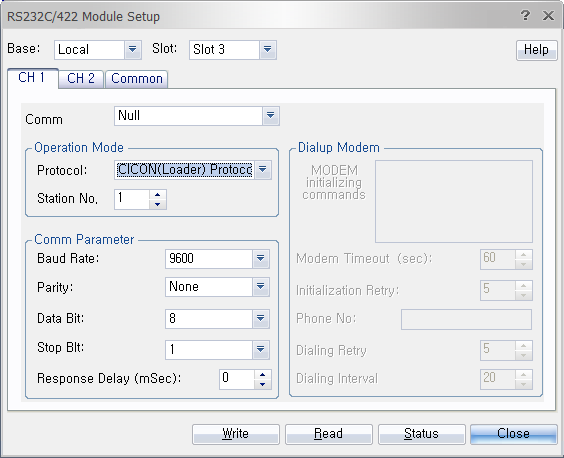
Configure the protocol, station number, baud rate, parity bit, data bit, stop bit, or response delay.
- Protocol:
- HMI Protocol
- Terminal
- Station Number:
- 0 ~ 31
- Baud Rate:
- 300
- 600
- 1,200
- 2,400
- 4,800
- 9,600
- 19,200
- 38,400
- Parity Bit:
- None
- Even
- Odd
- Data Bit:
- 8
- Stop Bit:
- 1
- 2
- Response Delay:
- 0ms ~ 200ms
- Protocol:
-
Once the settings are configured, click OK to confirm and apply the changes.
-
To save the configured parameters to the PLC, click Write.
-
Click Read to check the parameters.
-
For real-time monitoring and module diagnostics, click Status. This displays the current value, minimum and maximum values, firmware version of the module, and any error codes.