ComboBox Introduction
ComboBox Feature Description
Section titled “ComboBox Feature Description”Canvas offers the combobox object. The combobox is a drop-down menu that includes different choices. The user can select the choice in the menu and have the corresponding index value saved to a tag.
Combobox Designer Functionalities
Section titled “Combobox Designer Functionalities”Click Insert > Combobox, or the Insert Combobox icon on the toolbar, and click and drag on the page to bring up the combobox object as shown below:

Properties
Section titled “Properties”The Combobox object can be customized based on specific properties.
To ensure the property windows are enabled, click View > Properties.
Basic Properties
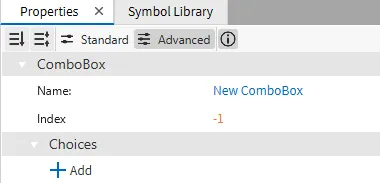
Section titled “Basic Properties”The Basic Properties section allows users to change the object name, index value, and choices of the combobox object.
Appearance
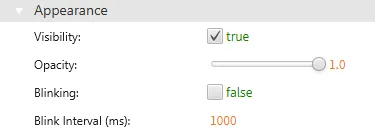
Section titled “Appearance”The Appearance section allows users to alter the visible characteristics of the combobox object.
Position
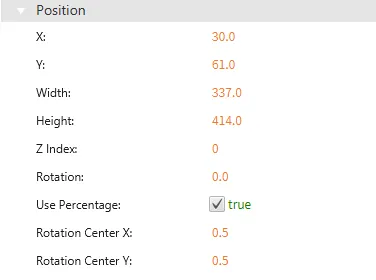
Section titled “Position”The Position section provides adjustable properties that reshape or move the combobox object.
Actions
Section titled “Actions”Permissions can be assigned to the combobox objects to allow the correct users to interact with them.