Fillable Rectangle Introduction
Fillable Rectangle Feature Description
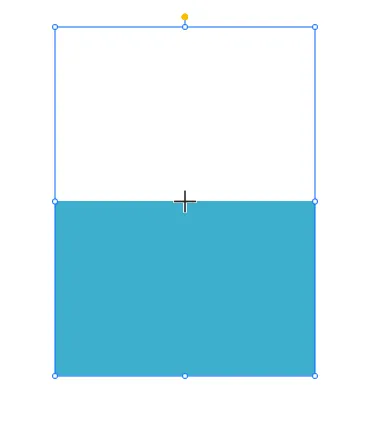
Section titled “Fillable Rectangle Feature Description”The Fillable Rectangle is a GUI object that can be used to display a rectangle with a fill color that can be changed based on a tag value. This object is useful for displaying data in a graphical format, such as a bar graph or a progress bar. The fillable rectangle can be customized to display different colors based on the value of a tag, allowing users to quickly visualize data trends.
Fillable Rectangle Designer Functionalities
Section titled “Fillable Rectangle Designer Functionalities”The fillable rectangle can have a Max Value and Default value set. This can be changed within the basic properties of the Fillable Rectangle. To create a Fillable Rectangle object, click Insert > Fillable Rectangle, or the Insert Fillable Rectangle icon in the toolbar and click and drag on the page to bring up the Fillable Rectangle object.
Properties
Section titled “Properties”Provides ways to customize the user’s Fillable Rectangle.
When there is no tag bound to the Fillable Rectangle, it will only function as a rectangle. To allow the Fillable Rectangle functionality, bind a tag to the Fillable Rectangle object by either smart binding the tag to the Fillable Rectangle, or by binding the tag to the Value parameter within Basic Properties.
Basic Properties
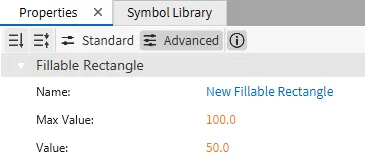
Section titled “Basic Properties”The Basic Properties section allows users to change the displayed content and formatting within the object. Users can set the Max Value and Default Value of the Fillable Rectangle within this section. The object’s name will show up in place of Basic Properties, as pictured below:
Appearance
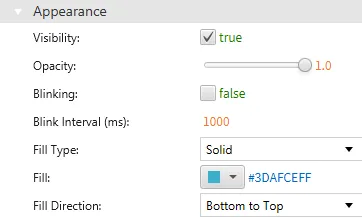
Section titled “Appearance”The Appearance section enables the use of selections to alter visible characteristics.
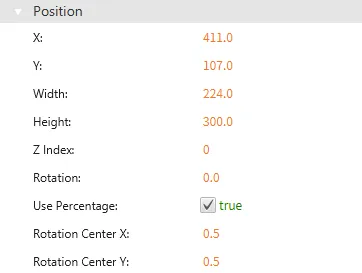
Position
Section titled “Position”The Position section provides adjustable properties that reshape or move the Fillable Rectangle object.
Actions
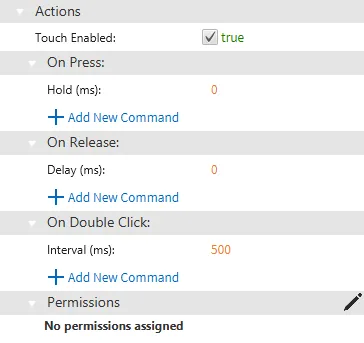
Section titled “Actions”If the Fillable Rectangle is pressed, released, or double-clicked, the action button runs a script or command. This is controlled under the On Press, On Release, or On Double click section of the Actions tab.
Permissions can be assigned to the fillable rectangle object through the Identity and Access Management feature.