Sliders Introduction
Slider Object Feature Description
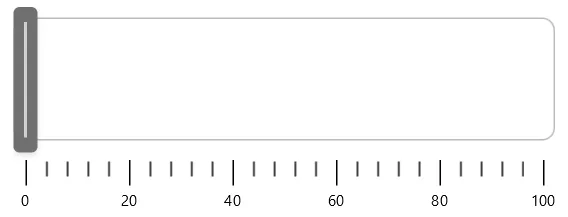
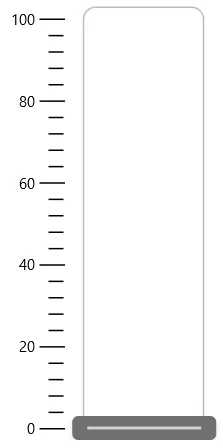
Section titled “Slider Object Feature Description”Canvas includes a Slider object that allows users to adjust numerical values interactively by dragging a handle along a horizontal or vertical track. Sliders can be bound to tags, enabling real-time control of parameters such as size, position, or speed within a project. They are particularly useful for scenarios where continuous adjustment of a value is required rather than a discrete input.
Slider Object Designer Functionalities
Section titled “Slider Object Designer Functionalities”To create a Slider object, go to Insert > Slider or select the Insert Slider icon from the toolbar. Users can then choose between a Horizontal Slider or a Vertical Slider, and click and drag on the screen to place it. Once inserted, the slider can be bound to a tag, allowing its value to directly control linked properties of objects on the canvas.
Properties
Section titled “Properties”The Slider object can be customized based on specific properties.
To ensure the property windows are enabled, click View > Properties.
Basic Properties
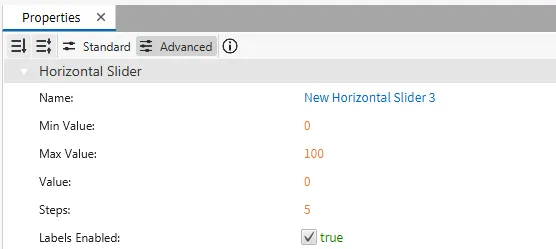
Section titled “Basic Properties”The Basic Properties section allows the user to configure the slider’s minimum, maximum, and step values. These define the range of numbers the slider can output and the increments in which the values change. The value field can be bound to a tag, ensuring the slider both reflects and updates real-time data.
Appearance
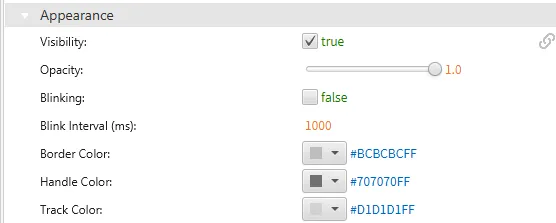
Section titled “Appearance”The Appearance section enables the use of selections to alter visible characteristics.
Position
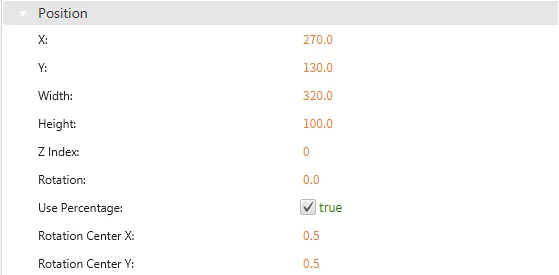
Section titled “Position”The Position section provides adjustable properties that reshape or move the object.
Actions
Section titled “Actions”Permissions can be assigned to the slider objects to allow the correct users to interact with them.