Device Communication Introduction
Device Communication Feature Description
CIMON HMIs can connect to PLCs and other HMIs to display important project data in a clear and accessible way. These HMIs support communication with other devices over Ethernet and serial connections, allowing users to present real-time information from PLCs and other controllers. By using an HMI interface, project data becomes easier to monitor and understand compared to reading directly from a PLC.
Device Communication Designer Functionalities
I/O Device Editor
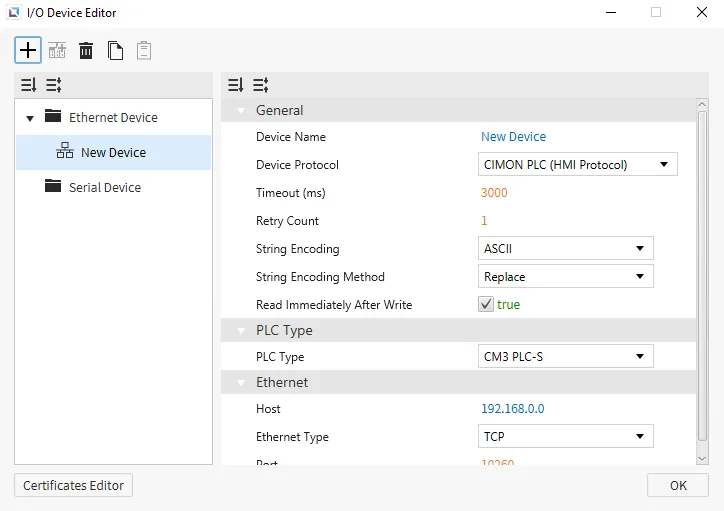
The I/O Device Editor is a tool within Canvas that lets users configure their external PLC, HMI, or controller. In the I/O Device Editor, users can specify if their device communicates over Ethernet or serial. Within the device configuration, users can choose one of the available protocols to communicate.
To access the I/O Device Editor, go to Tools > I/O Device Editor or click the Open I/O Device Editor icon on the toolbar.
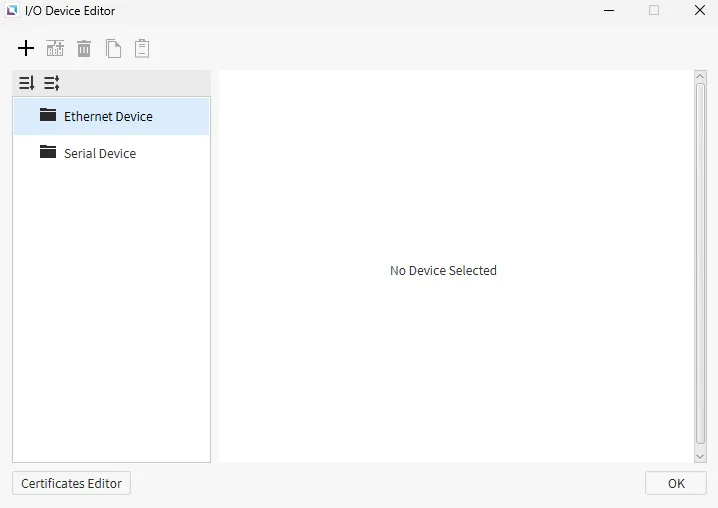
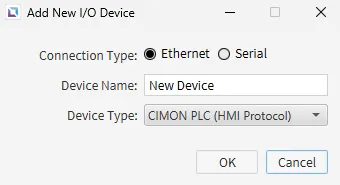
To create a new device, click the + icon to open the Add New I/O Device window. Users can select Ethernet or Serial as the connection type. The device can be named, and the Device Type can be specified. Device Type opens a drop-down of specific devices that Canvas supports communication with.
Once selected, the I/O device is created with default settings.