Simulator Introduction
Simulator Description
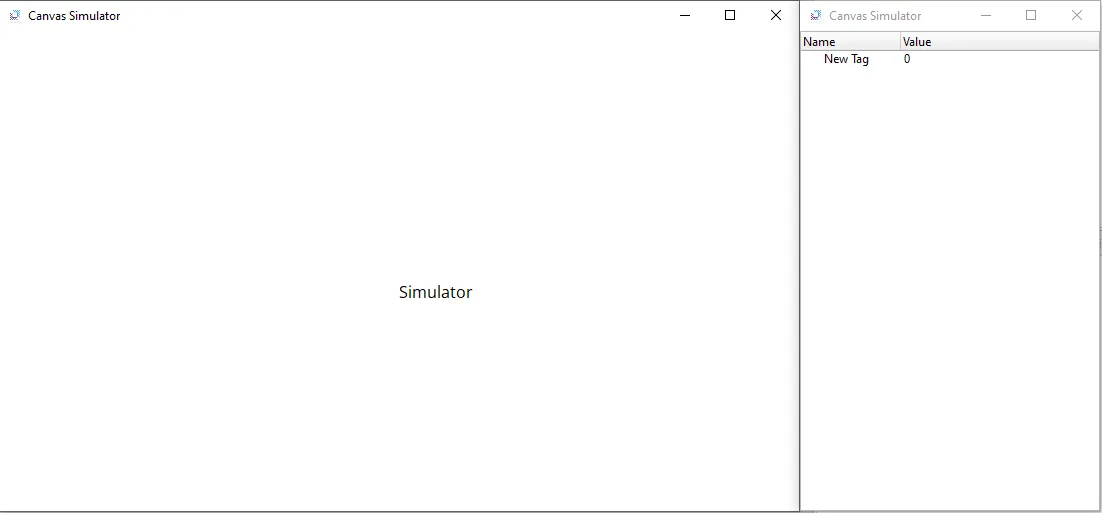
Canvas provides built-in simulation tools that allow users to test and debug their projects before deploying them to an HMI. Users can utilize the Simulator to test object functionality or the Online Simulator to test I/O device communication. For example, the Online Simulator can be used to communicate with the CICON simulator directly within Canvas.
Simulator
An HMI is not required to test the functionality of a project. The built-in Simulator allows users to run the project directly on their PC to debug and verify object behavior without deploying to hardware. Users can also manually change tag values to test the behavior of functions dependent on specific tags.
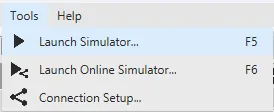
To launch the Simulator, go to Tools > Launch Simulator or click the Launch Simulator button on the toolbar. This runs the project locally, enabling full testing of its functionality.
Online Simulator
The Online Simulator extends testing to include I/O devices and data servers without requiring a PLC, HMI, or any physical I/O hardware. This allows for more comprehensive simulation of communication and device interaction.
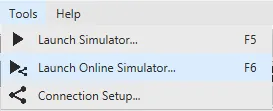
To launch the Online Simulator, go to Tools > Launch Online Simulator or click the Launch Online Simulator button on the toolbar. Some features unavailable in the offline Simulator are supported in the Online Simulator.
A warning will appear if required files are missing for Simulator mode.
Not all features will function in one or both simulators; some functionality is only available when the project is installed on the HMI.
The Online Simulator will automatically close after 2 hours of runtime.